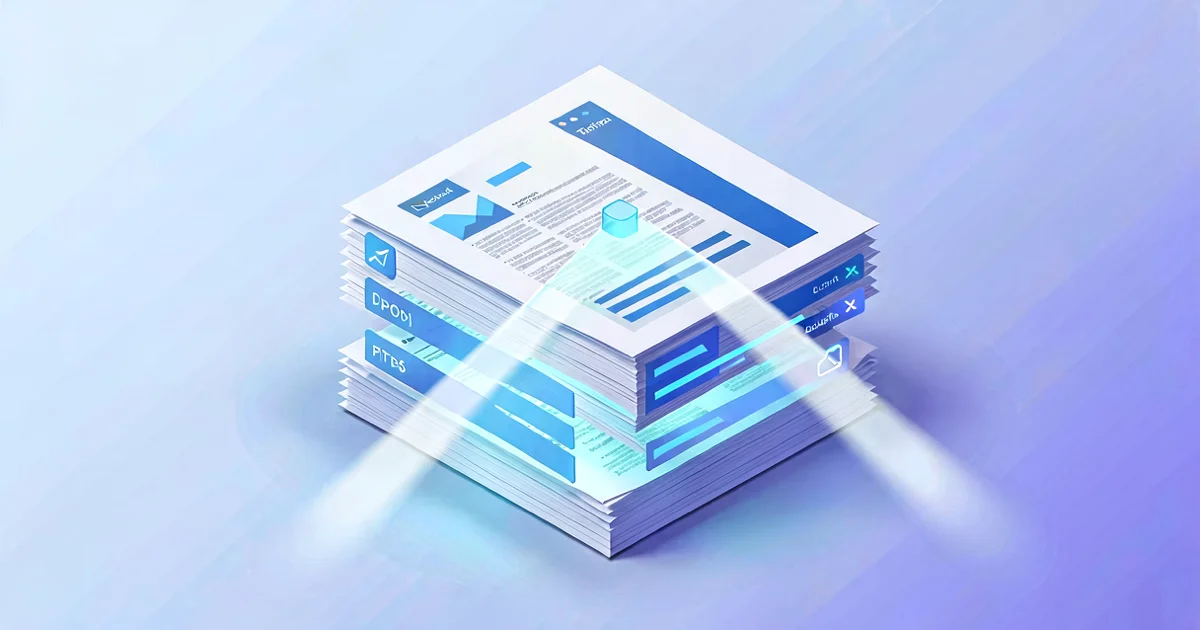
Every business runs on documents it has to read, understand, and retype into a system. Invoices into accounting. Orders into the ERP. Contract terms into a tracker. Delivery notes, expense receipts, application forms — someone, somewhere, is squinting at a PDF and keying its contents into a box.
It’s slow, it’s mind-numbing, and it’s a reliable source of expensive typos. For decades the only tool against it was OCR — and OCR alone never quite delivered. What’s changed in the last couple of years isn’t OCR; it’s that AI can now understand a document, not just transcribe it. That difference is why document automation has gone from “almost works” to genuinely production-ready for ordinary businesses.
Why OCR alone was never enough
Old-school OCR turns pixels into text. Useful, but dumb: it gives you a wall of characters with no idea which number is the total, which date is the due date, or that this supplier writes “Invoice No.” where that one writes “Ref.” It worked beautifully on rigid, identical forms and fell apart on the real world, where every supplier’s invoice has a different layout.
So the “automation” still needed a human to find the right fields and decide what they meant — which is most of the work. OCR removed the typing, not the reading. That’s why so many document projects quietly reverted to manual.
What changed: AI that reads for meaning
Modern document AI combines OCR with a language model that understands layout and intent. You don’t program it with “the total is in the bottom-right box.” You tell it, in plain language, “find the invoice number, the supplier, the line items, the net, the VAT and the total” — and it finds them across hundreds of different layouts, including ones it has never seen, because it understands what an invoice is.
That’s the leap. It handles the messy middle that broke old systems: a scanned-then-photographed receipt, a contract where the key clause is on page nine, a form someone filled in by hand. The same approach that powers the shift from chatbots to genuinely useful AI agents — grounding a model in your real data and rules — is what makes document extraction reliable enough to trust.
What a real document automation looks like
A production pipeline isn’t “AI reads the PDF, done.” It’s five stages, and the unglamorous ones are what make it trustworthy.
- Capture. Documents arrive — email attachments, a scanner, an upload form, a shared drive — and land in one place automatically. No more “forward it to me and I’ll do it.”
- Extract. The AI pulls the fields you care about into structured data: numbers, dates, parties, line items.
- Validate. The extracted data is checked against rules and your own systems. Does this invoice match an open purchase order? Does the total equal the sum of the lines? Is the supplier known? This stage catches both AI mistakes and genuinely wrong documents.
- Human-in-the-loop for exceptions. Anything low-confidence or failing validation goes to a person — with the document and the AI’s best guess side by side, so review takes seconds. Everything clean flows straight through.
- Post and file. The validated data is written to your accounting system, ERP or database, and the original is archived where it belongs, searchable.
The two stages everyone skips — validation and exception handling — are precisely what separate a demo from something finance will actually rely on.
Where it pays off first
Not every document is worth automating. The winners share a shape: high volume, repetitive, and feeding a system. The usual first candidates:
- Supplier invoices — the classic. High volume, painful to key, expensive when wrong. Often the single best place to start, and we ranked it for exactly that reason in the processes every SME should automate.
- Purchase orders and order intake — orders arriving as PDFs or emails, retyped into the ERP, with shipping errors when someone fudges it.
- Expense receipts — the monthly shoebox of crumpled paper, reconciled by hand.
- Delivery notes and packing slips — matched against orders to confirm what actually arrived.
- Contracts — extracting renewal dates, values and key clauses into a tracker so nothing auto-renews by surprise.
- Application and intake forms — onboarding documents that kick off a downstream process.
”But can I trust it?” — accuracy and the exception model
The honest answer: not blindly, and you shouldn’t want to. The right mental model isn’t “the AI replaces the person.” It’s “the AI does 85% untouched, and the person handles the 15% the system flags.”
This is what makes document automation safe. The system reports a confidence level on every extraction. High-confidence, validation-passing documents flow through; anything uncertain is routed to a human with the original in view. You’re not betting the business on the AI being perfect — you’re using it to make the easy cases instant and concentrate human attention on the genuinely tricky ones. As the system sees more of your documents, the share needing review shrinks, but it rarely needs to hit zero to pay for itself.
Crucially, every decision leaves a trail: what was extracted, what confidence, who approved exceptions. That audit trail is often a requirement, not a nice-to-have — and it’s something a manual process almost never has.
What it takes — and what it costs
Two things determine effort. First, how the documents arrive: a clean digital PDF is easy; a faxed, scanned, handwritten-annotated page is harder (still doable, lower confidence). Second, what it connects to: writing results into a modern system with an API is straightforward; an old on-premise system with no integration points is where the time goes — which is why document projects sometimes start with a small integrations piece first.
A focused document automation — one document type, one destination system — sits firmly in the range where most automation projects start. It typically includes the capture setup, the extraction and validation rules, the exception review screen, monitoring, and a documented handover. You get a fixed quote after a free audit, before any work begins — details on our process automation and AI automation pages.
Frequently asked questions
How accurate is AI document extraction, really? On common document types with reasonable input quality, field-level accuracy is high — but the point isn’t a headline number, it’s the confidence scoring. The system knows when it’s unsure and asks a human, so the errors that reach your books are the ones a human approved, not the ones AI guessed wrong silently.
Do we need clean, identical templates for it to work? No — that’s the old-OCR constraint, and it’s exactly what modern document AI removes. It handles varied layouts from different suppliers without you pre-defining each one. Genuinely awful scans still lower confidence (and get routed to review), but you don’t need standardised forms.
What about sensitive documents — contracts, financials? That’s a governance question, and a fair one. It comes down to where the documents are processed and who can see the results — the same data-readiness and permissions work that any serious AI project needs. Done properly, an automated pipeline with logged access is often more controlled than PDFs sitting in inboxes.
Will it replace our finance/admin team? It replaces the typing, not the judgement. The realistic outcome is the same team handling far more volume and spending their time on exceptions and decisions instead of data entry — which is usually the bottleneck you actually wanted to fix.
Document work is the perfect first AI project: high volume, clear rules, an obvious before-and-after, and a payback you can put in a spreadsheet. If your team is still retyping invoices, orders or forms, we’ll audit one document flow for free and show you the numbers before any commitment. See how we work on our process automation page, or tell us which document is eating your week.
Sound like a problem in your business?
We build production AI — assistants, agents and automation grounded in your data. Free discovery call, fixed written quote, no obligation.
Get a free proposal